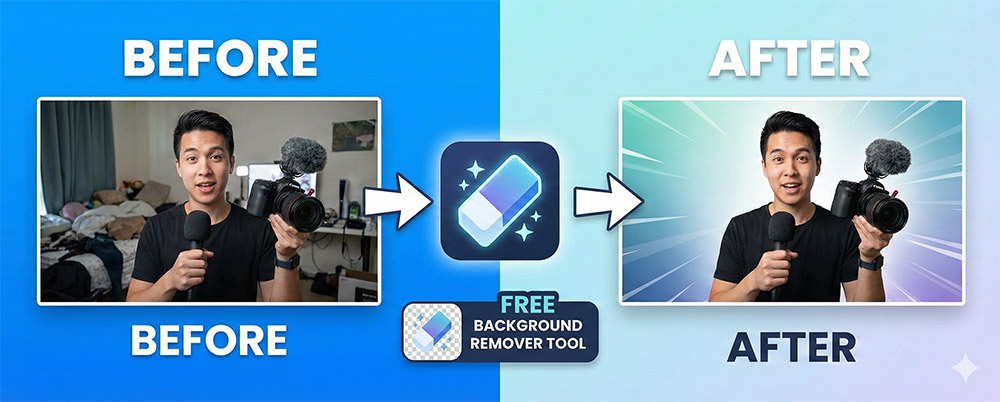
In the sea of YouTube, what ultimately captures a viewer's eye is the 'person' or the 'key object'.
Thumbnails that remove cluttered backgrounds and cleanly isolate only the person maximize visual concentration.
Especially if you run a self-improvement or information channel, a clean image that inspires trust is essential.
However, Photoshop is difficult, and it must have been burdensome to outsource it every time.
The tool that will act as a relief pitcher at this moment is none other than Remove.bg.
Remove.bg is a web service that uses powerful AI technology to recognize people, products, animals, etc. in photos and
automatically removes the background.
Speed: generates results within approximately 5 seconds
Convenience: No program installation, available for immediate use without registration
Precision: Overwhelming AI performance that delicately extracts even a single strand of hair
Please break down the explanation into steps to make it easy for blog readers to follow.
Image Upload: Access Remove.bg and drag the photo or click the [Upload] button.
Automatic Conversion: Shows the result with the background removed by AI. (Detailed editing possible with the 'Edit' button if necessary)
Download: Save as a PNG file with a transparent background and you're done!
Instead of simply removing the background, suggest how to turn it into a **'profitable thumbnail'**.
Adding Outlines:Adding a white or yellow border to a background-removed portrait image significantly improves visibility.
Compositing Colorful Backgrounds:Instead of a plain room background, use a colorful background or a solid color background that matches the theme to convey the message Emphasize.
Text Placement: Placing large text in the space behind the person creates a professional-grade thumbnail with a three-dimensional effect.
Content creators should focus on planning and editing. Leave the simple, repetitive task of 'cutting out the background' to AI.
High-quality work is possible with just the free version, so we recommend applying it right now.