When running a YouTube channel, 'design' is just as much of a headache as planning.
Do you spend hours creating a single thumbnail, or are you worried about paid fonts and image copyrights?
The best tool to boost your YouTube production efficiency by 200%,
Canva We will provide a comprehensive guide on how to use it.
There are many design programs, but the reason YouTube creators are particularly enthusiastic about Canva is clear.
Overwhelmingly free templates: Even without design sense, you can use layouts created by professionals as they are.
No copyright worries: With a wealth of commercially usable images, fonts, and elements, even beginners can create with peace of mind.
Simplicity with no installation: It syncs with both web browsers and mobile apps, allowing you to edit Shorts subtitles or thumbnails on the go.
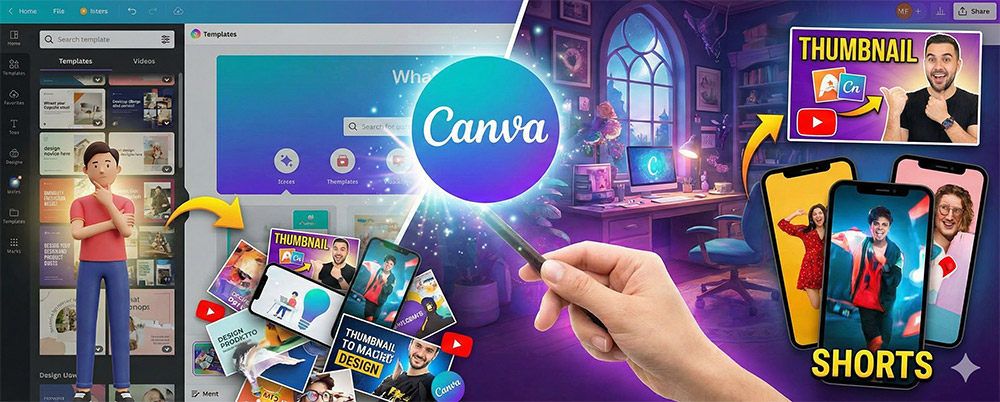
Creating 'Thumbnails' That Attract Clicks
Thumbnails, the main page of YouTube—are you still just writing text on a white background? Search for 'YouTube Thumbnail' on Canva. Choose one that matches your video topic
(Vlog, Informative, Education, etc.) from tens of thousands of templates, and just replace the text and photosto complete a high-quality thumbnail in just 5 minutes.
The core of information delivery 'Card News & If it is an informative video that requires explanation, readability is key. Use Canva's Elements (Graphic) features to insert neat charts or icons.
Subtitle backgrounds (Lower Thirds) to be inserted in the middle of the video can also be saved as transparent PNGs and used immediately, significantly reducing editing time.
The trending 'Vertical Templates for Shorts'
This is the most attractive point! Vertical templateswith a 9:16 ratio are available by category.
Just adding Canva's emotional text animations to a plain vertical video instantly brings the atmosphere to life.
Setting up Brand Kit: You can maintain a sense of unity across your entire channel by pre-assigning the logos, fonts, and colors you frequently use.
Utilizing AI Tools: Using the 'Magic Edit' feature allows you to delete or replace specific objects within photos, giving you much more freedom in creating thumbnails.
Searching Video Sources:[span style="color: rgb(0, [Insert animated stickers or short video clips into your design to grab viewers' attention.]
Don't let your videos sit around until your design is perfect.
Canva is a great tool that will save you time.
Why not log into Canva right now and create your first (or next) thumbnail?